
Developer hub

    Extend Copado with
    automations & integrations.

    Automate tedious DevOps tasks and integrate Copado with your testing and monitoring toolchain to solve bottlenecks and save time.

    Agentia Headless Extensions

    Extend the Agentia CLI.

    The Agentia CLI is extensible: anyone can build plugins that add new commands on top of Agentia Headless. We will publish many extensions here, and a dedicated page will soon list the Agentia Headless extensions built by the community.

    CLI Add-on

    Health check for a Salesforce repository. See finished branches and heavy metadata, clear what you no longer need.

    Copado projects collect user-story branches, promotion branches, reports, and profiles until the repository is hard to work in. Repo Doctor leads with what matters most and walks you through the cleanup. You leave with a shorter branch list and a repository that uses less space and keeps up.
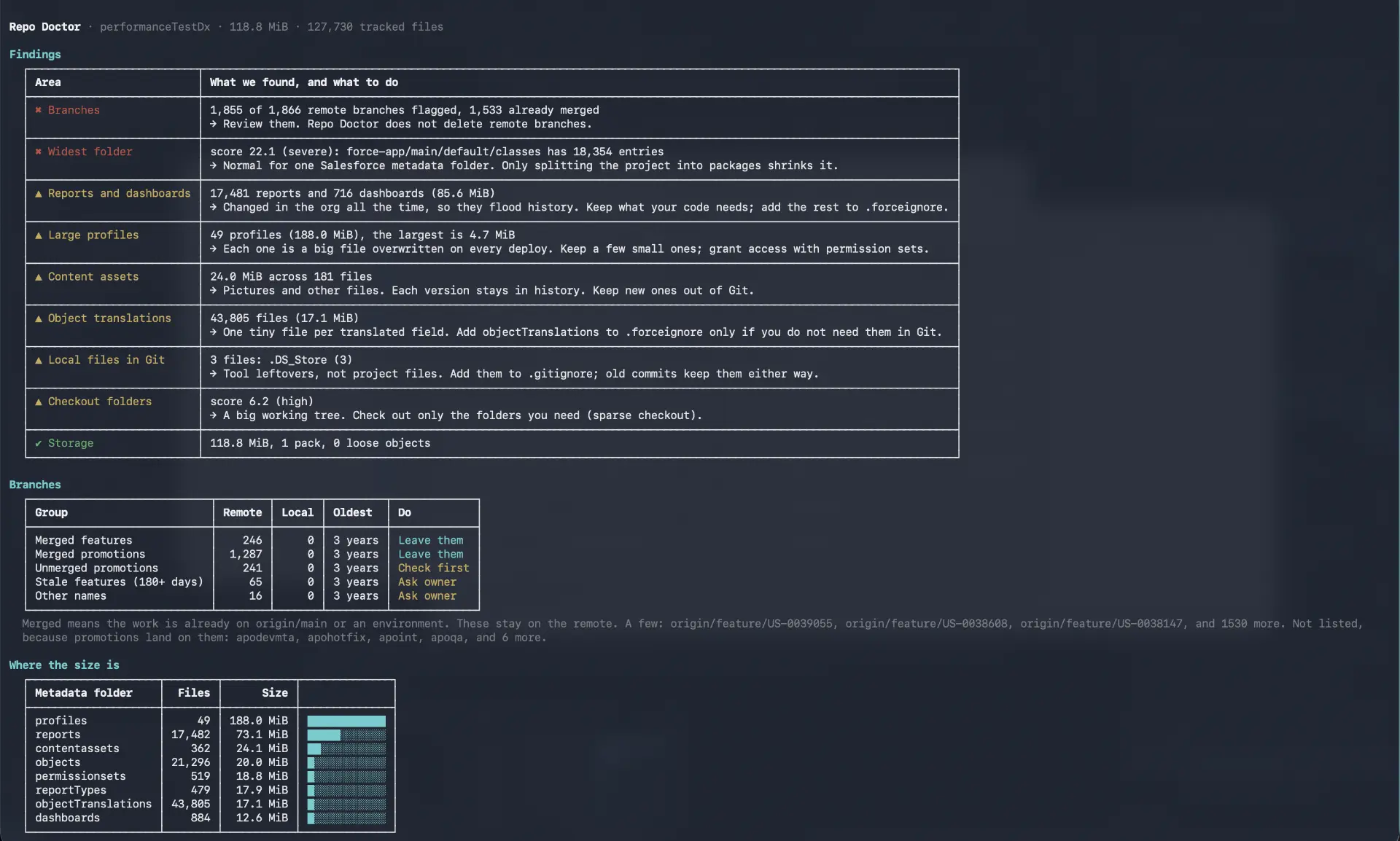
    Repo Doctor
    agentia plugins install @copado/agentia-plugin-repo-doctor

    Agentia Headless Extensions are third-party solutions published by the community. As a result, not every extension available for download is supported by Copado.

    Agentia Headless Hackathon

    Build on the Agentia Headless CLI — use it directly or ship a plugin on top of it. Invite-only while details are being finalized; sign in with your Copado account to see the brief.

    View the hackathon

    Discover what other developers have built on Copado.

    Browse community solutions on the Copado DevOps Exchange, or submit your own extension to be published.

    Explore solutions

    Ready to level up your DevOps skills?

    Join the 70K+ strong Copado community and swap notes on customising and extending the platform.

    From install to first commit, right in your IDE

    Agentia Headless is available for all Copado solutions. Install the Agentia CLI, connect it to your Copado account once, and run your pipeline from any IDE.

    1. Sign in with Copado

      New to Copado? Headless needs a Copado account. Start a free Agentia trial, then come back and install the CLI.

    2. Install the CLI

      $npm install -g @copado/agentia-cli

      Makes the agentia binary available system-wide.

    3. Run the setup wizard

      $agentia setup

      The wizard guides you through authentication, skills configuration, local quality gates and more.

    Companion IDE extensions are available for VS Code and, via Open VSX, for Cursor.