
Spot Unfinished Work in Your Copado Git Repo with Agentia Repo Doctor

By Ahmed Sefraoui
Think about your Copado Git repository for a moment.
Every User Story adds a branch. Every promotion adds another one. A few direct commits land on main because someone was in a hurry. Reports, profiles and static resources make the repository heavier every week.
Nobody decided to let it get this way, and nobody owns the cleanup.
That's what Repo Doctor is for. It's an Agentia plugin that reads your local clone, tells you what's going on, and fixes the safe parts for you.
The newest version goes beyond storage and stale branches. It now also shows where your delivery got stuck. Let's see how it works.
1. Install and run it
agentia plugins install @copado/agentia-plugin-repo-doctor
Then, from your Salesforce project's repository:
agentia repo doctor
The report opens with a one-line verdict and a Findings table, worst first:
Needs attention: 17 to review. Start with Branches, Waiting to merge and Open promotions.
Each row says what was found and what to do about it. The detail sections that follow only appear for what Repo Doctor actually found.
Repo Doctor never rewrites commits or tags, and never deletes a branch on the remote. Anything that would rewrite history is printed as a manual step, not run.
2. What's new: see where delivery got stuck
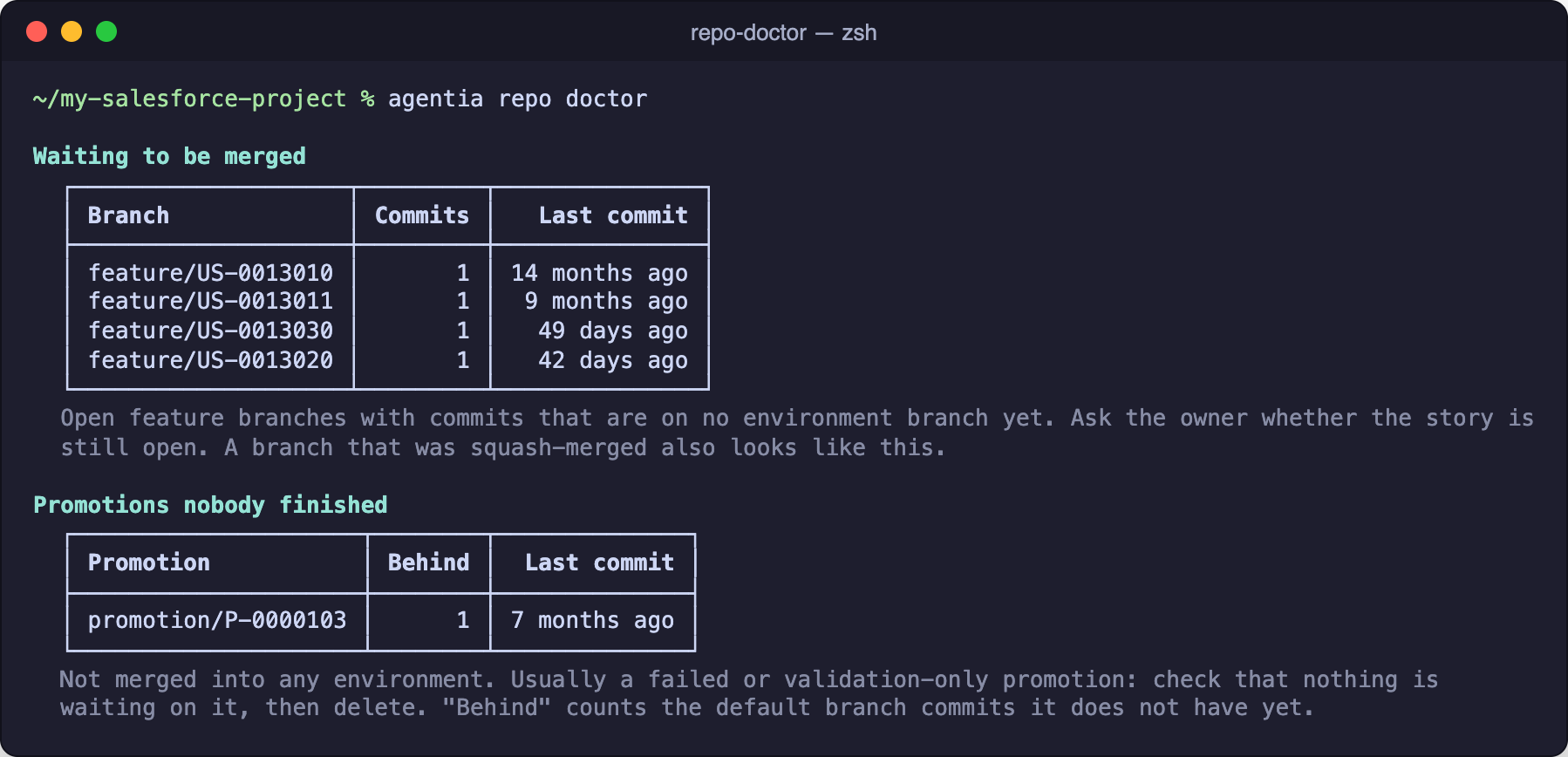
Work waiting to be merged
Which open feature/ branches have commits that reached no environment branch yet? Repo Doctor lists each one with its commit count and how long it has been since the last commit.
Promotions nobody finished
Unmerged promotion/ branches are promotions that started and never landed. Repo Doctor lists them and shows how far behind the default branch each one is.
Conflict hotspots
Which files do three or more open branches change at the same time? That's usually where the next promotion conflict is waiting.
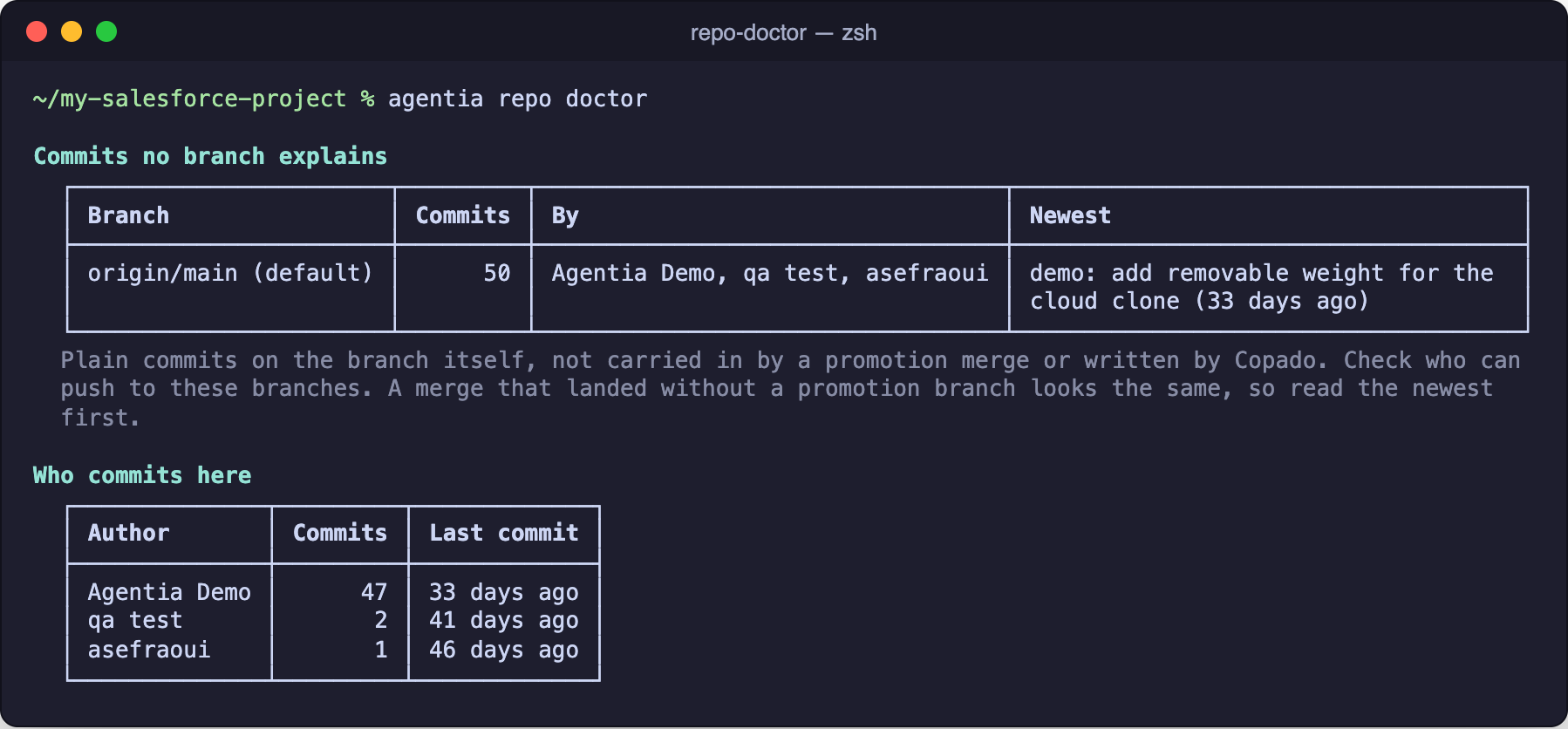
Who commits here
Commits on main or an environment branch that didn't arrive through a promotion, with their authors, so you can see who is committing directly. You also get the top five authors, plus the newest commit subjects with no US- reference.
Managed packages
Installed packages that ended up in your repository, with how many files reference each one.
Ignore files
Your .gitignore, .forceignore and .copado_exclude_autoresolve, with their line count. An empty or missing file is flagged here and in the Findings table.
Linked to the Findings table
Tables like the size by metadata folder name the area they belong to. If a folder is flagged as "Large profiles", you can jump to that row in the Findings table and see the detail.
A good thing to know: these sections read Git history. A squash-merged branch can look like unmerged work, so Repo Doctor says "waiting to be merged", not "never deployed". You decide what to do with each one.
3. Read what you need
Only the verdict and the Findings table:
agentia repo doctor --summary
Long tables stop at 10 rows. See every row of one section, or raise the limit:
agentia repo doctor --show-all promotions
agentia repo doctor --show-all all
agentia repo doctor --max-rows 25
Need branch names for a script?
agentia repo doctor --list
4. Make the safe changes
Repo Doctor shows a checklist with the recommended items already ticked, then a final confirmation. Press Ctrl-C at any point and nothing changes.
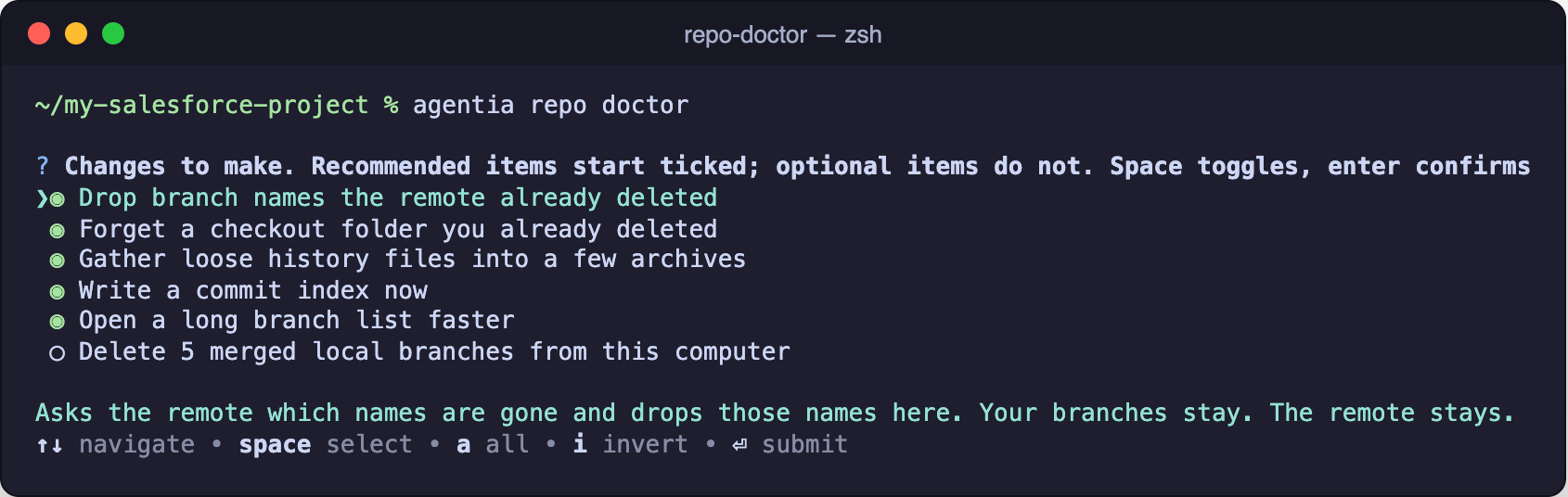
The safe changes include a fetch that drops branch names the remote already deleted, repack, commit graph, and deleting merged local branches when you ask. For everything else, like large files in history or remote branches, Repo Doctor prints the manual steps and leaves them to you.
5. Put it in your pipeline
Fail a CI job when the repository needs attention:
agentia repo doctor --summary --fail-on severe --json
The command exits with code 1 when a finding is severe, and never changes the repository. Use --fail-on warning for a stricter gate.
To apply the recommended safe changes without a terminal:
agentia repo doctor --apply --yes --json
Branch deletion always needs an explicit --delete-merged-branches.
The takeaway
Your repository already knows which work is waiting, which promotions never finished and which files keep colliding. Repo Doctor puts that in one report.
Run it before your next release and see what your pipeline has left behind.